


How to build your first project
Your first website or app, built today
You describe what you want in plain language, and Macaly builds it for you. Think of it like texting a very skilled developer who works instantly.
Before you start
You don’t need a detailed plan. But if you’re not sure where to begin, these are great first projects:
Landing page
Simple, focused, fast to build. Perfect for testing an idea.
Personal portfolio
A few pages about you, your work, and how to get in touch.
Business website
Home, about, services, contact. A solid starting structure.
Internal dashboard
A simple tool for your team to track tasks or display data.
What to have ready:
- A short description of what your site is about (one sentence is enough)
- Your logo, if you have one
- Brand colors, or a reference website you like the look of
Don’t overthink it. Everything can be changed later, so your first version doesn’t need to be perfect.
Login into your Online Control Panel
Navigate to our website names.co.uk
Once on the website, choose “Log in” found on the top right-hand side of the page and log into your Online Control Panel. If you need assistance with this, please follow this guide.
Build your first project
1. Open Macaly and start a new project
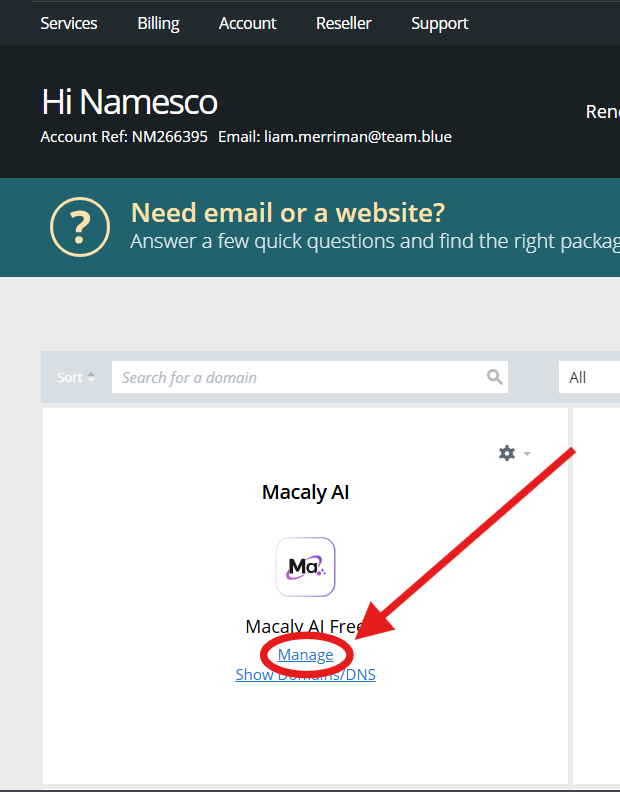
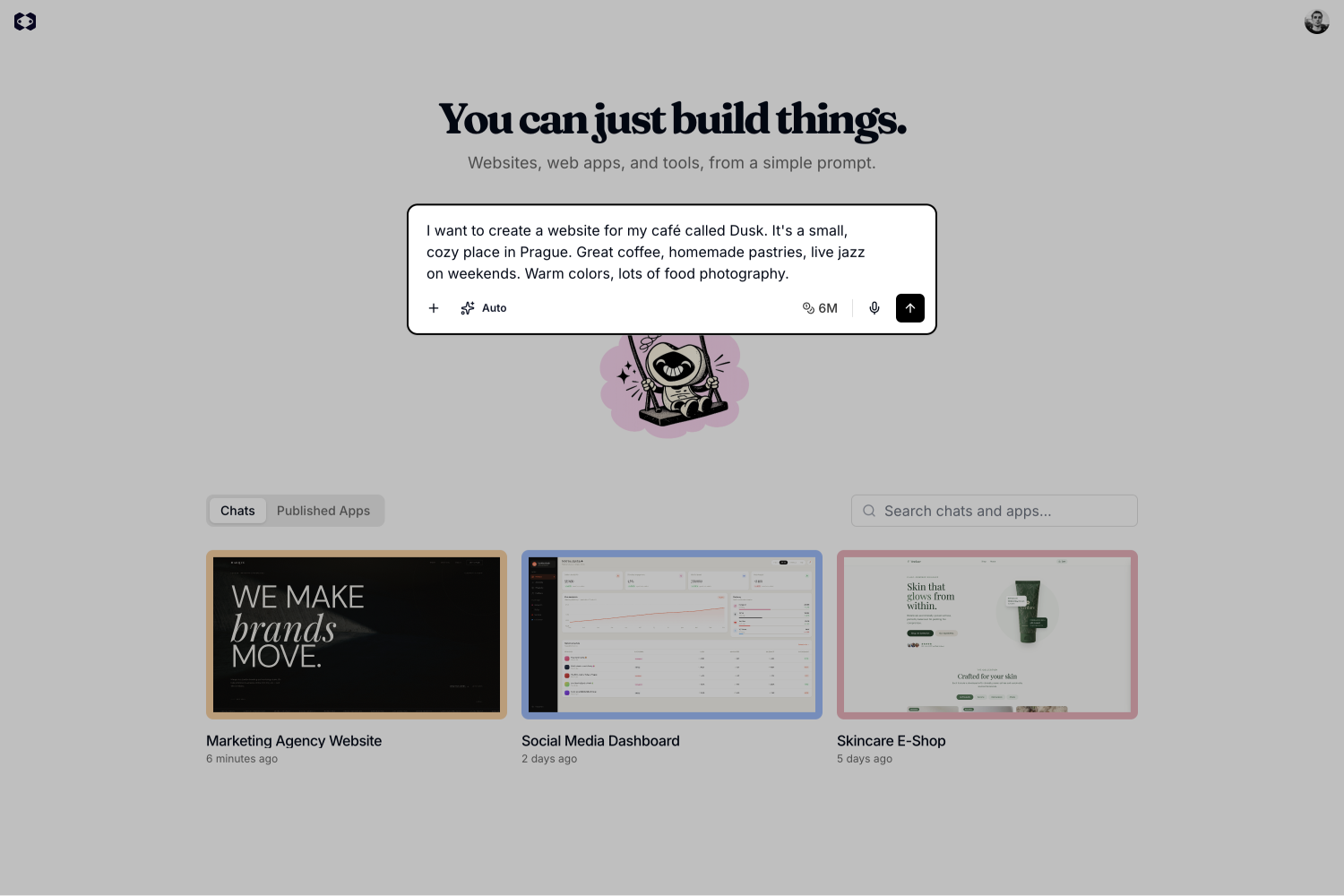
Log into Macaly by clicking “Manage” from the Control Panel. The prompt input is front and center on the home screen.
2. Describe what you want to build
Tell Macaly what you have in mind, the same way you’d explain it to a friend. Any language works.If you have materials ready (a logo, brand guidelines, a PDF with content), attach them straight away. The more context Macaly has from the start, the better the first result.
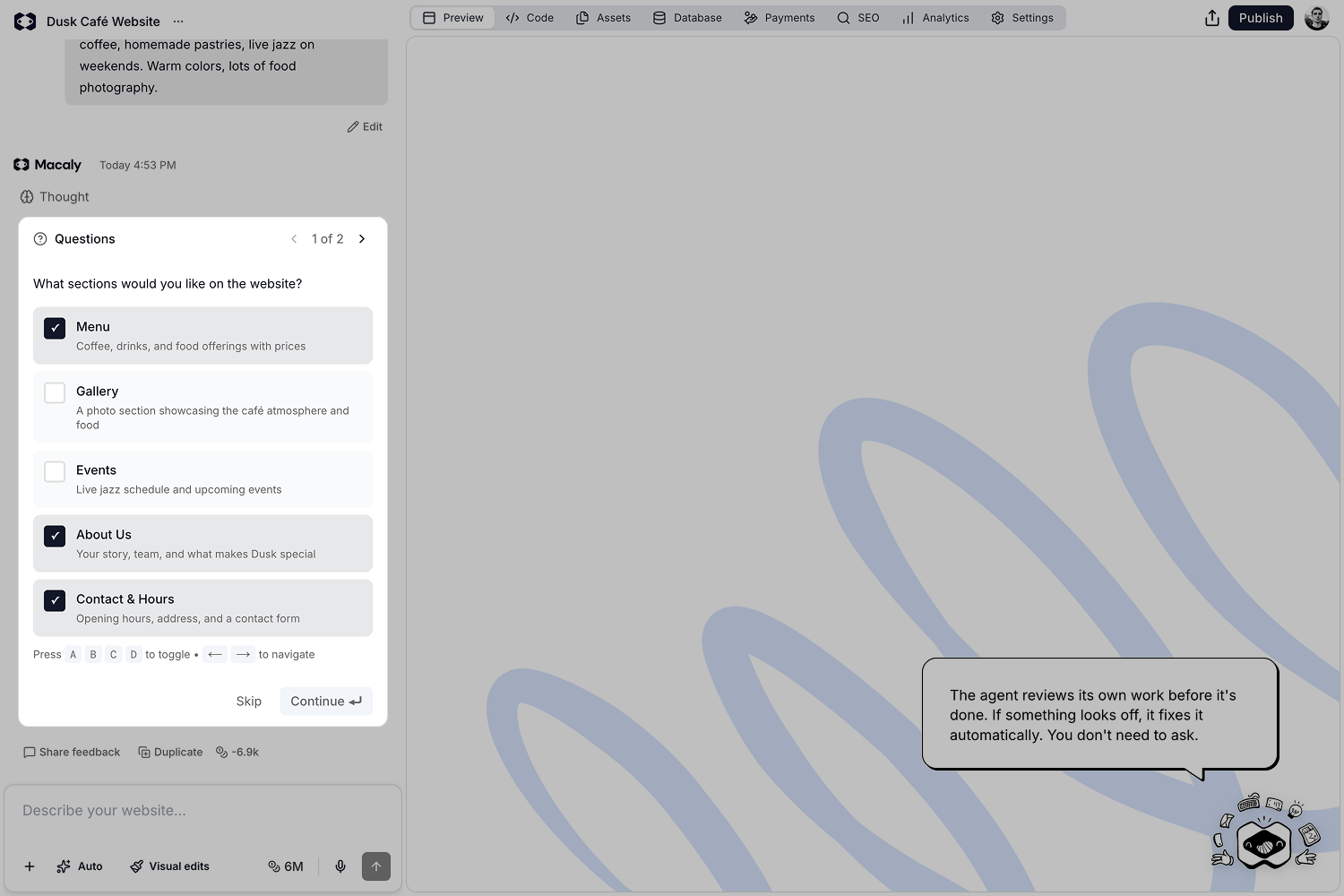
3. Wait for the agent to finish
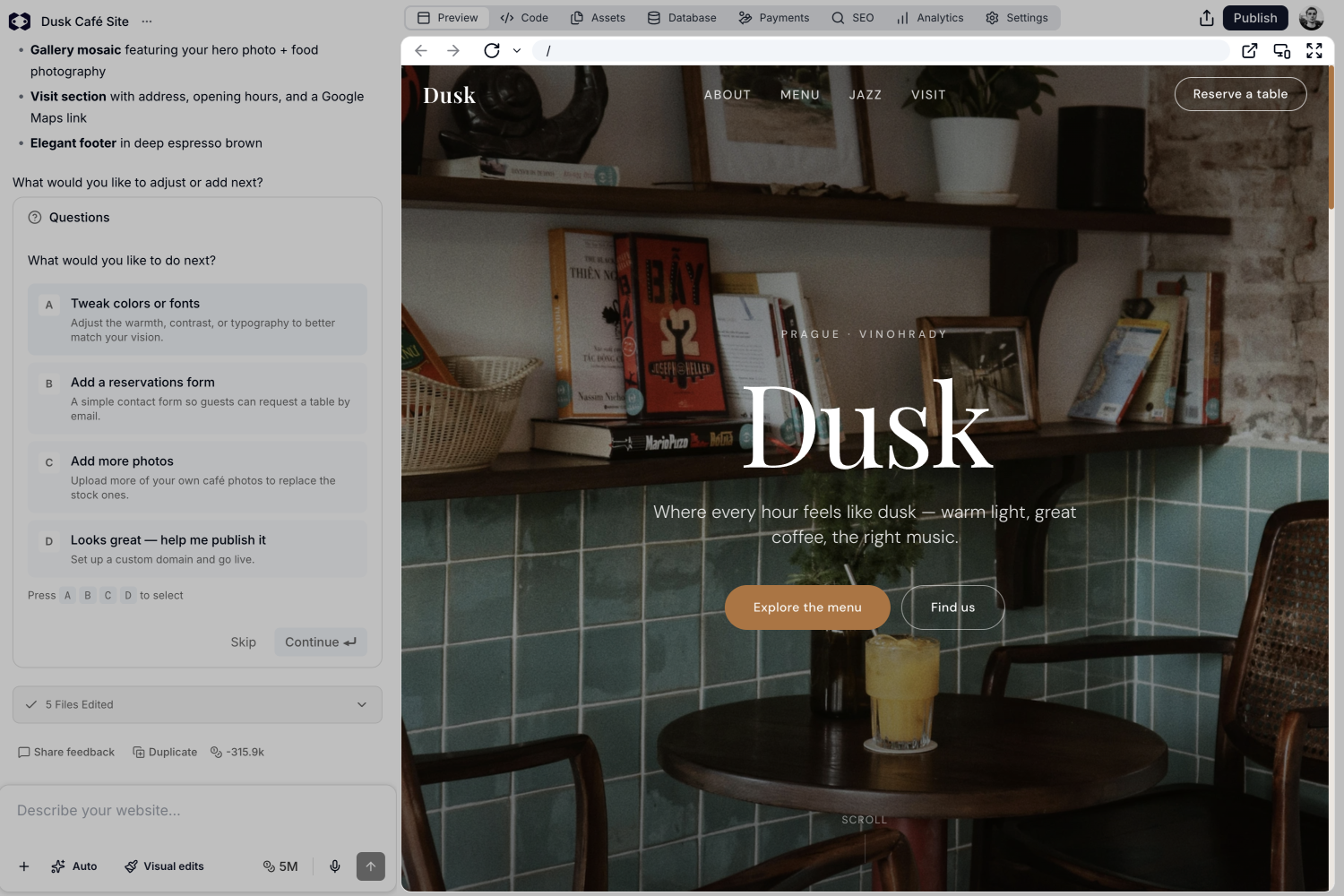
4. Review the result
How to talk to Macaly
Talk to Macaly like a friend. No commands, no technical terms. Just say what you want. Start with something concrete:
I want to create a website for my café called Dusk. It's a small,
cozy place in Prague. Great coffee, homemade pastries, live jazz
on weekends. Warm colors, lots of food photography.
Then keep the conversation going. Each message builds on what was already built:
I found a site I really like the vibe of: https://example.com
Can we do something similar for the homepage?
Swap the Google Maps reviews for a photo gallery.
Can you add a menu section? I have our full menu as a PDF,
I'll upload it. Can you pull the items and prices from it?
Macaly keeps the full context of your project throughout the conversation, so it never loses track of what you’ve already built.
A few tips
- Better results start with context. Share a reference site, upload your logo, or explain who the site is for. The more Macaly knows, the better the output.
- Describe the result, not the steps. Focus on what you want it to look or feel like. Macaly figures out the how.
- Send one request at a time. Focused messages get better results than long lists. If you have several changes in mind, send them one by one and Macaly will work through them in order.
- Ask before you build. Not sure if something is possible? Just ask. Macaly can walk you through the options before any work begins.
- Say what’s off, not just that it’s wrong. “The font feels too formal” gives Macaly something concrete to work with. “Try again” doesn’t.
When something goes wrong
Something not looking right? That’s completely normal, especially early on. Here’s what to do:
- Ask the agent to undo it. Describe what changed and say you want it reverted. Works best when just one thing went wrong.
- Restore a previous version. If several things went sideways at once, restoring is faster than undoing step by step. Each agent response has a “Restore this version” button. Click it to roll back to that point.
- Edit a previous prompt. Go back to any earlier message and edit it. Macaly rewinds the project to that moment and rebuilds it from your updated prompt.
- Start from a safe copy. Before making big changes, click “Duplicate” under any message. That way you always have a fallback to return to.
If you have any further questions, simply raise a support request from within your Online Control Panel or call us on 0345 363 3633. Our customer Care team is here to help and ready to assist you with your enquiry.