How do I start IIS via command prompt?
RDP on to the server
To start IIS using the IISReset command-line utility
- From the Start menu, click Run.
- In the Open box, type cmd, and click OK.
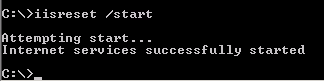
- At the command prompt, type
iisreset /start
- IIS attempts to start all services…