


AI models
Macaly runs on several AI models, and you can choose which one the agent uses. They differ in how carefully they work, how fast they are, and how many credits they use.
Which model to pick
We recommend staying on the default until you have a reason to change. When you do want to change, pick the group that matches the job. Models within a group are close in strength, so there is rarely a wrong choice between them.
Every model shows the region where it runs. If your project data needs to stay in the EU, pick a model marked EU.
You can use different models for different jobs in the same project. Add a complex feature with one, then switch to a faster one for the small changes that follow.
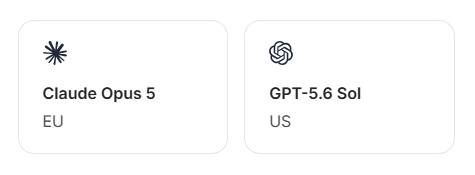
For complex work
Works through more of the detail before it starts building, which usually means fewer rounds of corrections. Uses more credits in exchange. Worth it for user accounts, payments, or more complex logic.
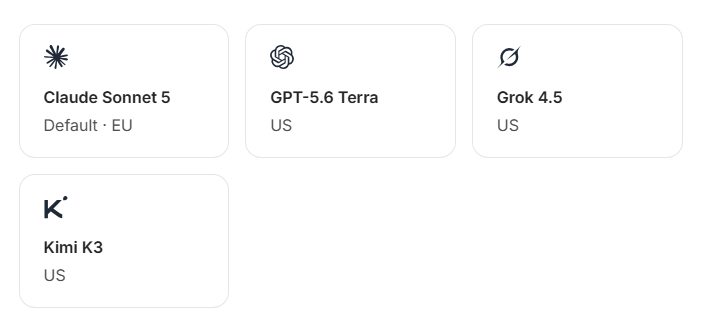
For everyday building
The balance most projects want. Good for first drafts, new pages, and general changes.
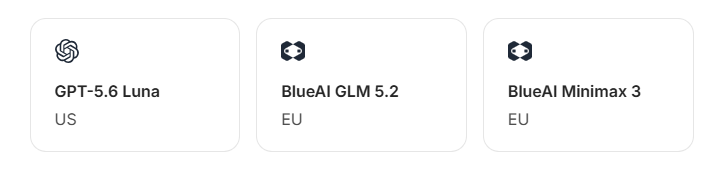
For speed and efficiency
Capable models that work faster and use far fewer credits. Good for text and style tweaks, quick iterations, and long sessions where you want your credits to stretch further.
Where to choose a model
You can set the model in two places. The project setting always wins over the account setting.
- For all your chats: Open Settings, go to the Preferences tab, and pick a model under AI. Every chat uses this model unless you choose something different inside that chat.
- For one project: Open the chat, go to the Settings tab, and pick a model under AI Model. Leave it on Use default to follow your account setting.
Frequently asked questions
Can I choose which AI model Macaly uses?
Yes. Macaly runs on several models from different companies, and you can pick which one the agent uses. Claude Sonnet 5 is the default and works well for most projects.
Where do I change the model?
You can change the model in two places. To change it for all your chats, open Settings, go to the Preferences tab, and pick a model under AI. To pick a model for one specific project, open that chat, go to the Settings tab, and pick a model under AI Model. The setting in a project always takes precedence over the setting in your account.
Which model should I use?
Stay on the default unless you have a reason to change. Move up to a model built for complex work when you are adding something like user accounts, payments, or more complex logic. Drop to a faster, cheaper one for text edits and small tweaks.
Two models look similar. How do I choose between them?
Each company builds its models differently, and the differences show up more in style than in what the model can do. Which one suits you often comes down to the project and to personal preference, so it is worth trying a few.
Does the model I choose change how many credits I use?
Yes, and it is the biggest factor. A model built for complex work uses noticeably more credits than one built for speed, because it spends more effort working through the detail. The size of the change and the length of the conversation also play a part.
Where do the models run?
Every model is marked EU or US, which is where its servers are. If your project handles personal data and you need that data to stay in the EU, pick a model marked EU.
Can I change the model in the middle of a project?
Yes. Your choice applies to your next message. Everything the agent has already built stays as it is, and it keeps the full history of your project, so you can switch models at any point without losing anything.
My project uses a model that is not in the list. What happened?
Projects you started a while ago may still be set to a model that has since been retired. Those projects keep working. They now run on the newer version of the same model, so you get the improvements without doing anything. New chats always use the current lineup.
If you have any further questions, simply raise a support request from within your Online Control Panel or call us on 0345 363 3633. Our Customer Care team is here to help and ready to assist you with your enquiry.