


How to install Fail2Ban on a Plesk server
OS supported: Linux
Installation method: Plesk UI
Step 1
Log into Plesk via https://xxx.xxx.xxx.xxx:8443, where the X’s represent the IP address of your server.
Step 2
Navigate to “Tools & Settings” and then choose “Updates & Upgrades” (please note it might take a little while for the page to load).
Step 3
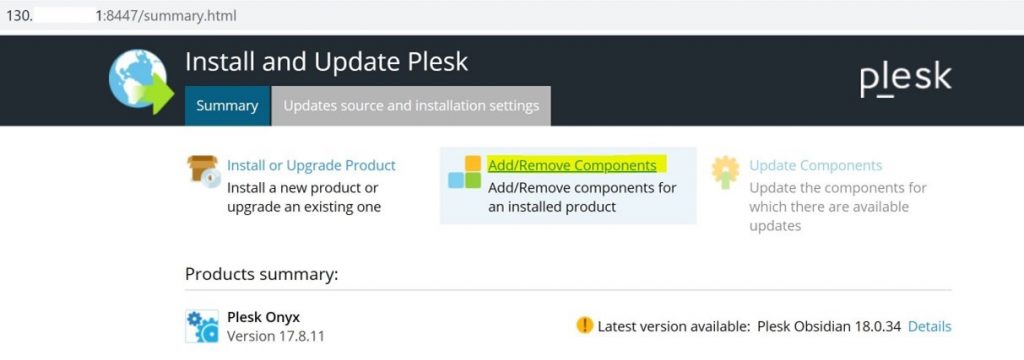
Click on “Add/Remove Components“, as shown in the image below:
Step 4
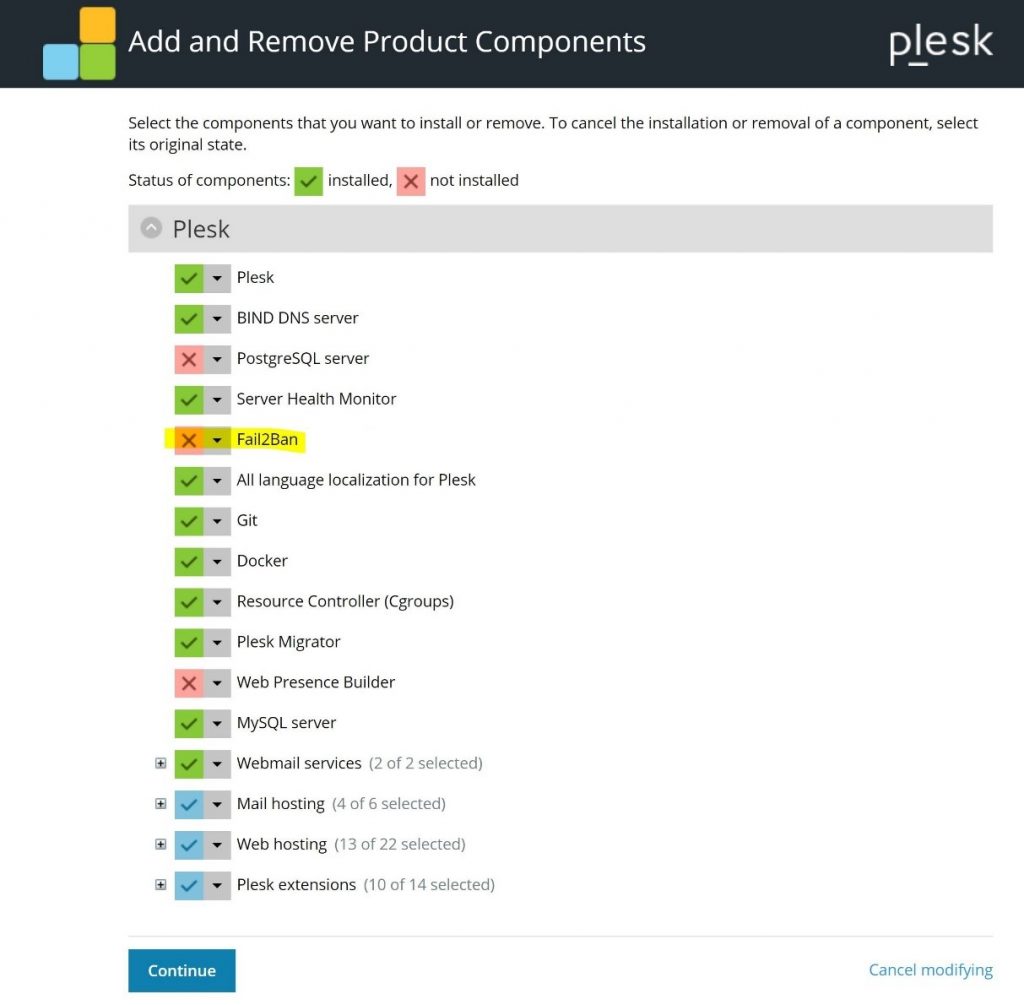
Click on ‘Fail2Ban’ and choose Install, as shown in the following screenshot:
Step 5
Click on ‘Continue’ to initiate the installation.
Step 6
Once it has completed, you should be able to access Fail2Ban via Plesk > Tools & Settings > Address Banning (Fail2Ban).