


How to Verify a .com Domain Name
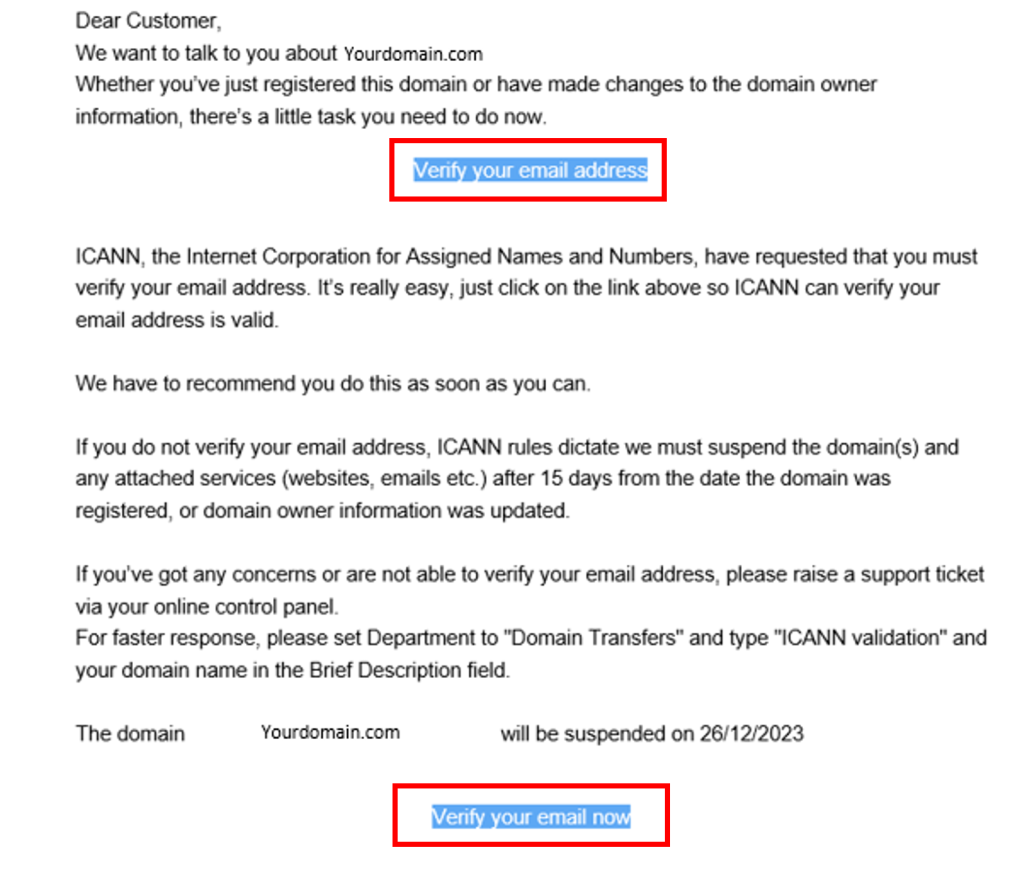
When purchasing a .com Domain name or other gTLDs (generic top-level domains) such as .com, .net, .org, .info, .biz and similar extensions, you will receive an email asking you to verify the contact details entered at registration.
If the registration details are correct, you will receive a verification email at the Domain Registrant email address associated with the domain.
Within the email sent, click Verify your email address.
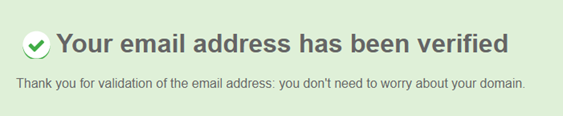
You will then be presented with a screen stating that the verification of your Domain Name has been successful.
What Happens If You Do Not Verify in Time?
If verification is not completed within 15 days of registration, the domain will be automatically suspended by the registry.
When this occurs:
- The domain will typically stop resolving for website and email services.
- A WHOIS lookup will often display temporary registry verification nameservers such as:
verification1.plaindns.net
verification2.plaindns.net
These nameservers are applied at registry level and indicate that the domain is suspended pending registrant verification.
Resending the Verification Email
If the original verification email has expired or cannot be located:
- Open a web browser.
- Enter the domain name into the address bar.
- You will usually be taken to a registrar notification or suspension page.
- Select “Resend Verification Email” or “Send Email.”
This will immediately issue a new verification message to the registrant contact email address on file. After requesting a resend, please check Spam or Junk folders as well as your inbox.
Once verification is completed, the domain’s original nameservers are automatically reinstated, and standard DNS propagation will then apply (up to 24 hours).
If You Are Not Receiving the Email
If no verification email is being received, or you believe the contact email address is incorrect then please raise a support request from within your Online Control Panel or call us on 0345 363 3632 and our customer support team will be happy to help.