


How to create your first email address
You can create an email address for your domain directly from your Online Control Panel.
Once your email address has been created, you can sign in to WebMail and start sending and receiving emails.
Before you start
Make sure you have an email service available for the domain you want to use.
Important: DNS changes can take up to 24 hours to update. During this time, your new email address may not be able to send or receive emails straight away.
Create your email address
- Sign in to your Control Panel.
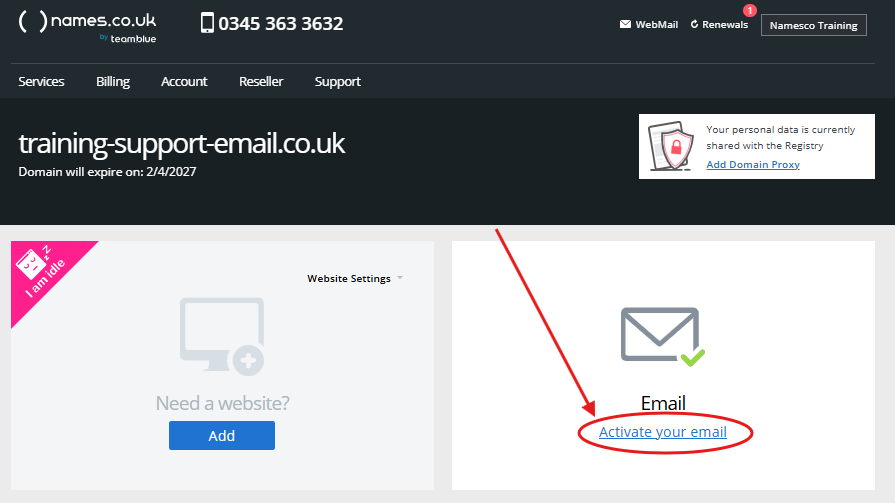
- Select the domain you want to create an email address for.
- Find the Email section and select Activate your email.
- Under Create your first email address, enter the name you want to use before your domain.
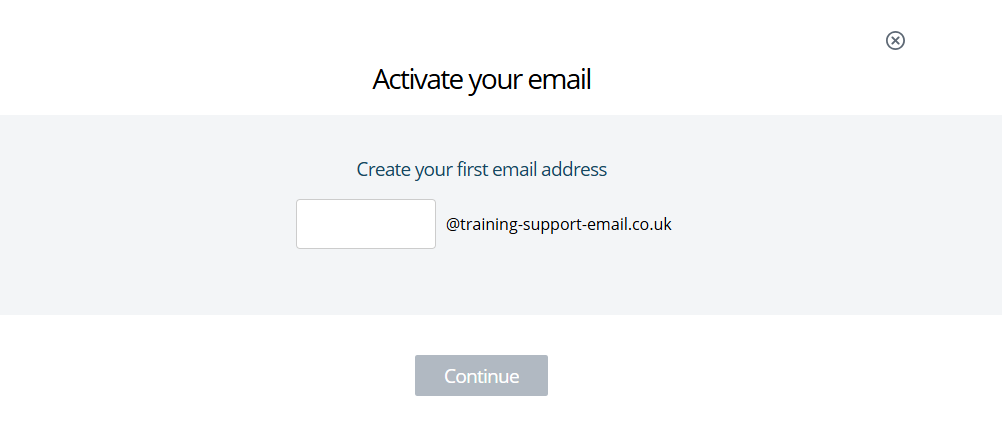
For example, if your domain is example.co.uk and you enter sales, your new email address will be:
sales@example.co.uk
- Select Continue.
- Create a password for your new email address.
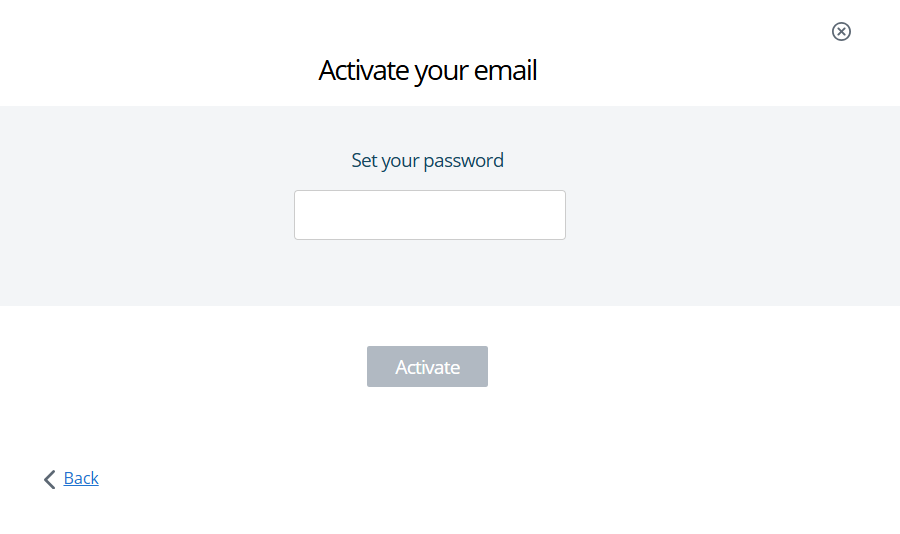
- Select Activate.
- Your email service will now be set up.
You may briefly see a message confirming that your email package is being created.
- When you see Your email is ready, select Login to email.
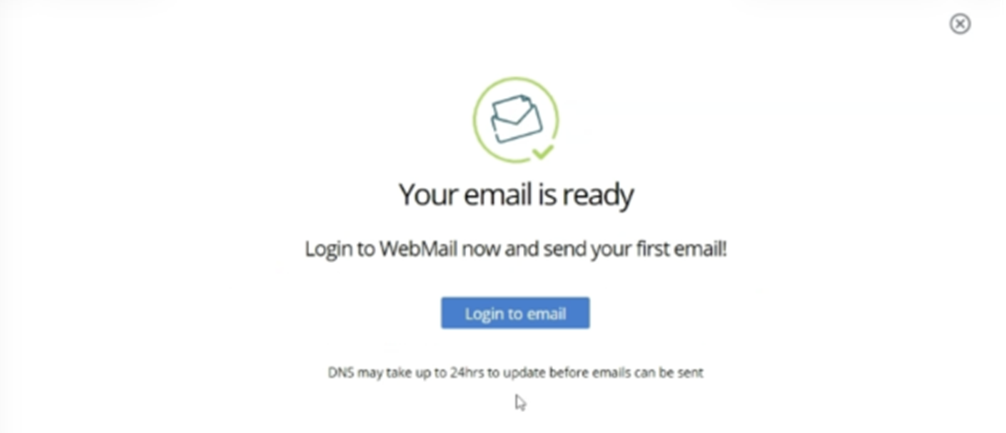
- WebMail will open and your new email address will be ready to use.
What happens next?
The first time you open WebMail, you may see a welcome screen confirming that your email is set up.
You can then start using your new email address to send and receive messages.
If your email address is not working yet
If you have only just activated your email, DNS changes may need time to update.
This can take up to 24 hours, so don’t worry if you can’t send or receive email straight away.
If you are still unable to send or receive emails after 24 hours, check that your domain and email service are active in the Control Panel.
What’s the difference between an email address and a mailbox?
Think of your mailbox as your inbox.
It’s where your emails are stored, and it’s what you sign in to when you want to read or send messages.
Your email address is the address people use to contact you, for example:
You can also add other email addresses, known as aliases, to the same mailbox. This means messages sent to different addresses can arrive in the same inbox.
For example:
could all deliver email to the same mailbox.
If you want to create additional mailboxes or add more email addresses, see our Creating a Mailbox guide for step-by-step instructions.